
Icons from File
5.1.1
Size: 1.84 MB
Downloads: 14826
Platform: Windows (All Versions)

In the Windows environment, every application and shortcut needs an icon in order to be displayed. The problem is that some users may want to change program icons from time to time, for making them a bit more interesting. Unfortunately, this is a bit difficult to do if using Windows alone. But when installing the Icons from File application, things become simpler.
Icons from File is a program that will come in handy if you need to extract icons from files. The application scans your computer hard disk and finds all the files from which icons can be extracted.
The program goes through EXE, DLL, OCX and other file types and extracts icons. After the extraction process is complete, the user will be able to save those icons as ICO, BMP, JPEG, or EMF. The found icons can also be exported to HTML or DBF. Advanced users can use the command-line feature, for extracting icons.
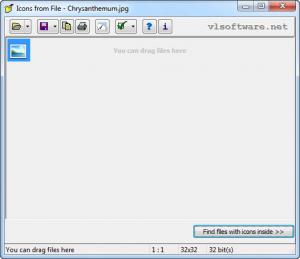
The interface of Icons from File makes the application extremely easy to use. But besides being simple, Icons from File is also fast, being able to scan your hard disk for icon files in the shortest time possible. After the icon file is found, the user will be able to preview it, before saving it to the large number of file formats supported by Icons from File.
Pros
The interface is extremely simple to use and intuitive. Besides that, it offers command-line support for experienced users. What's more, it can quickly scan for icon files on your hard disk.

Cons
There is no option to import icons from regular graphical formats. Icons from File is a fast, easy to use, free application that will come in handy to any user who wants to seek and save icons.

Icons from File
5.1.1
Download
Icons from File Awards

Icons from File Editor’s Review Rating
Icons from File has been reviewed by Jerome Johnston on 15 Aug 2012. Based on the user interface, features and complexity, Findmysoft has rated Icons from File 4 out of 5 stars, naming it Excellent







